
An overview of the fundamentals of semantic searching and using the digital research assistant
FluidityIQ ranks documents by meaning, not by matching strings, so the words you leave out of a query shape the results as much as the words you put in. The single biggest lever on result quality is how you translate a claim or an invention into a query: what you keep, what you strip, and how you split it. The answers below give explicit query-construction rules, then show how those rules shift across freedom-to-operate, novelty, and invalidity work.
Should I include the claim's preamble and stated purpose, or just the technical steps?
State the specific invention, the product(s) or step(s), and leave off background, the preamble, and the stated purpose. State the key pieces you believe are novel. FluidityIQ collapses your whole query into a single representation of meaning, and purpose or result language ("for treating," "to improve," "so as to achieve") anchors that representation in the outcome domain. When the novelty lives in the mechanism, structure, or process, that anchor pulls results toward documents that reach a similar effect by different means, and buries the structurally closest art. Describe how the invention works, not why it matters. Add purpose back only when the purpose itself is a distinguishing feature, or when you deliberately want application-domain context.
How long should a query be? Can I just paste the whole claim?
Distill it; don't paste it. A raw claim carries the preamble, antecedent-basis language ("said," "wherein"), and intended-use phrasing that dilute the signal. Rewrite the claim as a tight technical description in plain, standard language for the field. Include enough detail to disambiguate the concept, but no filler, because the engine averages meaning and every extra sentence shifts the query's center of gravity. A focused paragraph usually beats both a one-line keyword string and a copy-pasted multi-element claim.
My invention has several novel features. Should I put them all in one query?
No: decompose. Several independent features in one query blend into a single averaged vector that can rank documents matching none of them strongly. Run a separate search for each key feature, then work the union of the results. If one feature is itself the crux, such as a specific step, material, or structural detail, give it its own dedicated search. The engine returns concept-neighbors for each query you run; it does not return the intersection of several concepts, so you have to assemble that yourself using the digital research assistant.
Do I need to load the query with synonyms and alternate terminology, the way I would for keyword search?
No, and that is the main advantage of semantic search. It matches on meaning, so a document that describes the same concept in entirely different words still surfaces. That is exactly the case keyword search misses. Don't pad the query with synonym lists. Do use accurate, standard technical terminology, the way a person skilled in the art would describe it, rather than marketing names or internal jargon, which are semantically noisier.
Does the right query really change depending on whether I'm doing FTO, novelty, or invalidity?
Yes, and materially. The three jobs differ in what you query, how wide you cast, and which filters matter. The rules in the previous section apply to all three; the guidance below layers on top of them.
How should I query for freedom-to-operate (FTO)?
FTO is about what you will actually make, use, or sell, not about what is novel in it. Describe the commercial embodiment and its features as they will be practiced, including the ordinary, non-novel parts, because infringement turns on claim scope, not on novelty. Cast a wide net and favor recall over precision: a reference you miss here is a risk you miss. Run a separate search per product feature or function and read hits against claim scope rather than the abstract. Apply legal status and jurisdiction filters (in-force, granted, and the countries you operate in), since only live claims in your markets create exposure.
How should I query for a novelty or patentability search?
Query the inventive concept, meaning what you believe sets the invention apart from what came before, with the preamble and purpose stripped out per the rules above. Be precise on the differentiators but still cast a reasonably wide net on the core concept so the closest art can't slip past you. Constrain results before your priority or filing date. The goal is to surface the single closest reference and the next few behind it, so you can judge novelty and non-obviousness honestly before you invest in filing.
How should I query when I'm trying to invalidate or oppose a patent?
Work element by element. Take the target claim, break it into its elements, strip the preamble and purpose, and search the steps or features individually. For anticipation you are hunting a single reference that discloses every element; for obviousness, references that together cover them. Date-filter to before the target's priority date; that filter is not optional. Give any pivotal element its own search, and don't stop at one phrasing per element: a false negative can sink a case, so reformulate before you conclude a reference doesn't exist. This is exactly the scenario in the first question above: the two documents that revoked the patent only surfaced once the stated purpose came out and the process steps stood on their own.
My top results are not exactly what I expected. What should I change?
Diagnose the drift before you re-run. Ask what the engine locked onto: usually the most semantically dominant phrase, and often that's purpose or effect language (see the first question above). You can ask the engine itself via the digital research assistant. Remove or rebalance it. Then pull terminology from the few results that are on-target and fold it into the next query. Treat search as iterative: two or three deliberate reformulations beat one long, hopeful query.
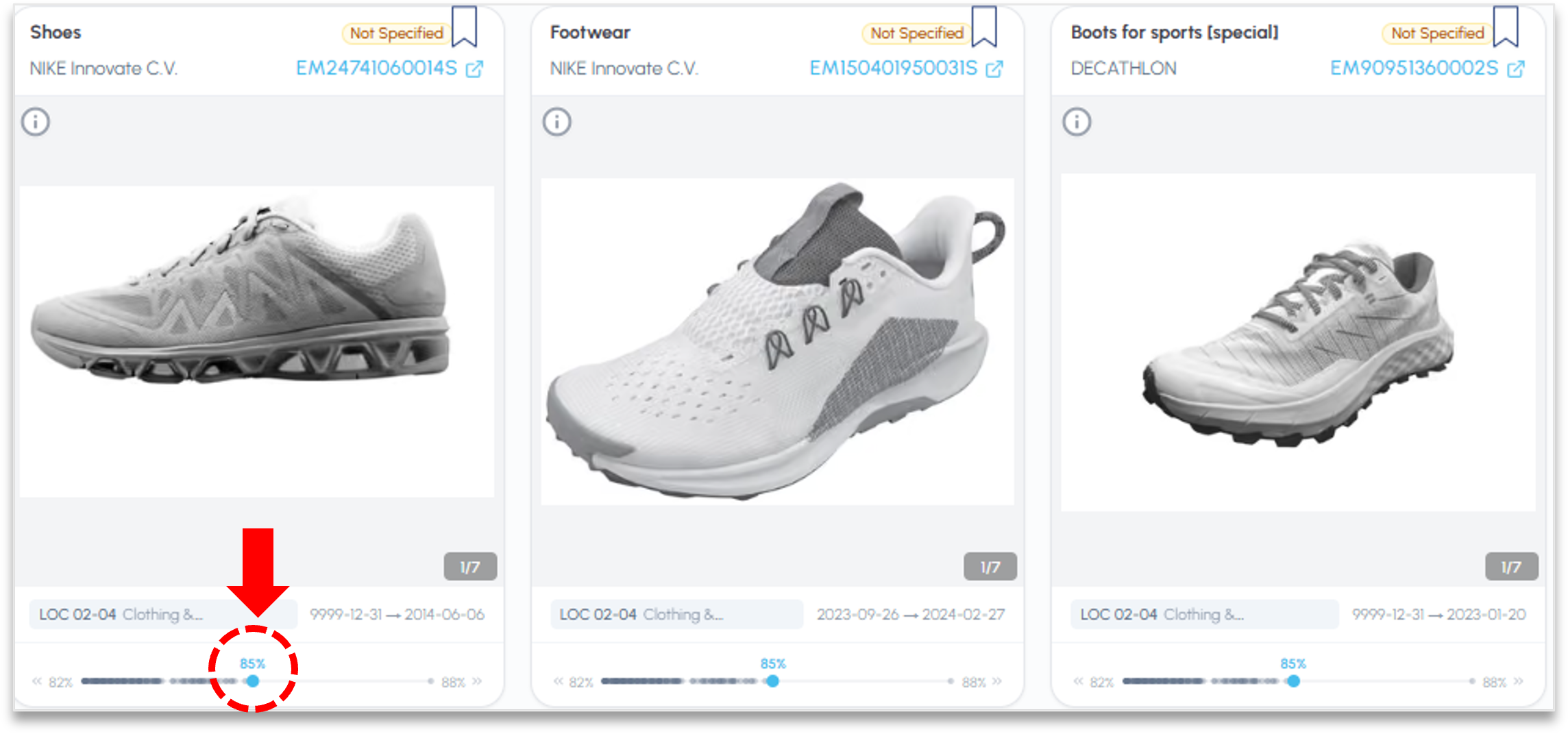
How should I read the similarity scores? Is 0.8 a "good" score (visible for Design Search only)?
Treat scores as relative rankings within a single search, not as absolute truth and not as comparable across searches. A 0.85 in one query and a 0.85 in another don't mean the same thing. Look at the ranked list and find the natural drop-off, where relevance falls away, rather than trusting a fixed threshold. The engine ranks; you judge relevance.
Can I paste an existing patent or publication and search for similar documents?
Yes, and it's a useful first pass, but the same rules apply. A whole document produces a broad, averaged vector, so it finds documents that are similar overall. That's fine for landscaping, but too blunt for novelty or invalidity. For those, pull out the specific concept or claim element and query that. Use whole-document similarity to find the neighborhood, then targeted, decomposed queries to work it. You can upload a document directly into the search strategy page and let the system draft a search strategy from the uploaded document. This allows you to ensure coverage of core document features while ensuring human judgement guides the strategy.
How do I access the digital research assistant to engage with my search results?
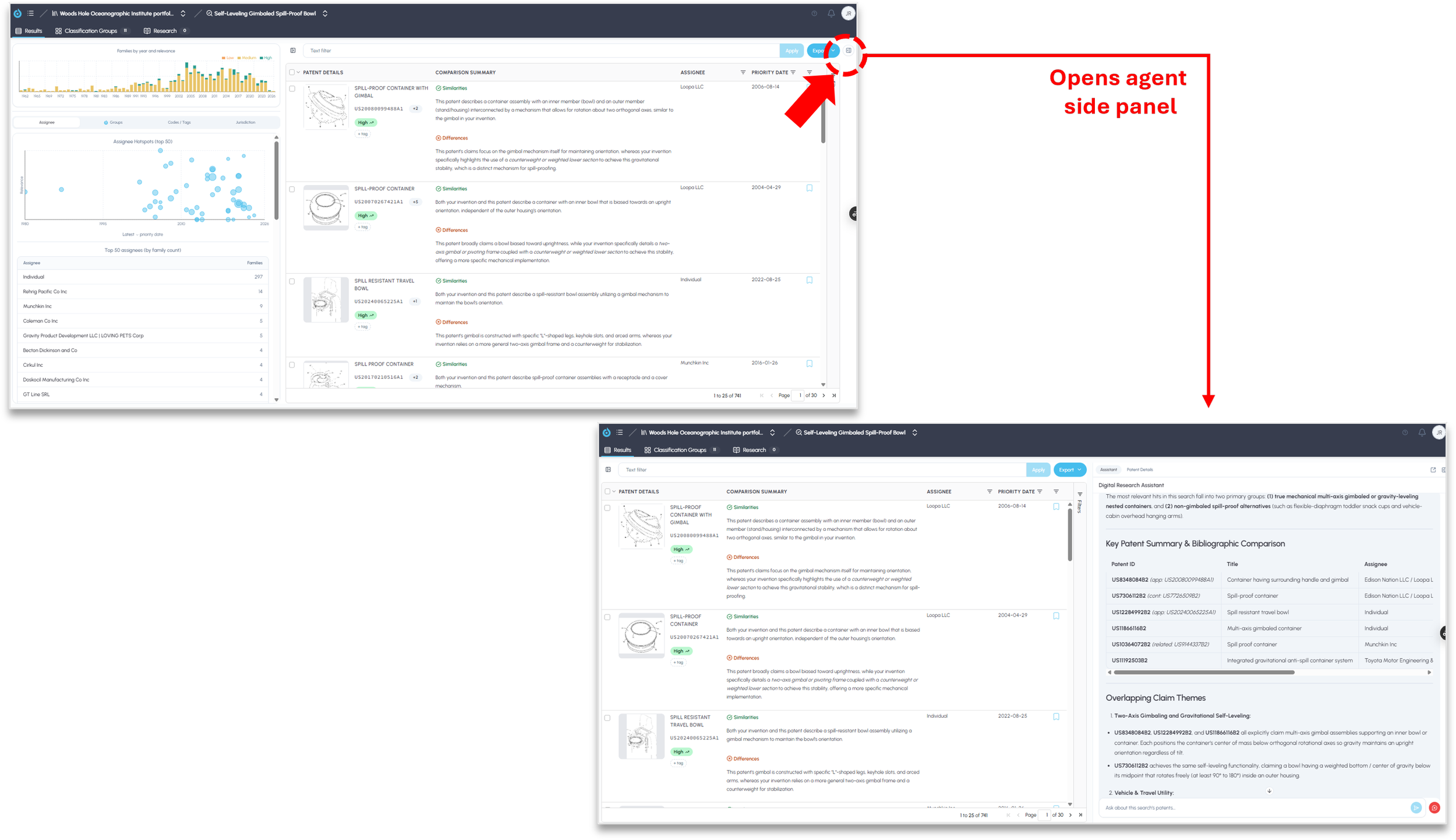
Accessing the digital research assistant to explore search results is simple. Click on the slider icon in the upper righthand corner of the screen (see below). The agent will slide out and the embedded analytics panel on the left will slide closed. You can use this feature to open and close either the analytics or digital research assistant slider as needed (you will note the icon on both the upper right and left for this purpose).
What can the research assistant on the Results page do now?
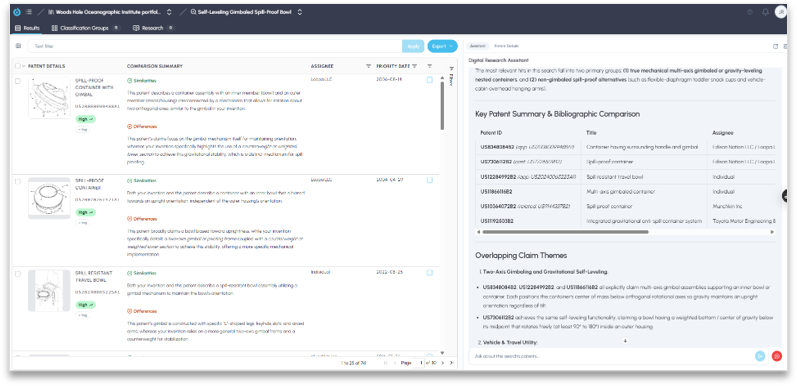
The research assistant on the Results page now matches the deep research agent from the Research tab. The deep research agent is geared towards more formatted outputs for things like landscape or novelty reports. The digital research assistant is equally capable but is more focused on supporting an interactive research engagement. It is conversational and supports iterative analysis, so you can refine a line of inquiry in dialogue instead of re-running searches from scratch. It reasons across the results from multiple searches held in a single library, not just one search, and it has access to the group classifications (sub-clusters) the engine assigns to the result set. You can save its analysis as a PDF to the persistent library shelf for future work.
How should I use the research assistant when searching?
It fits the decompose-then-combine pattern above. Run your separate searches, one per key feature or claim element, into a single library, then let the assistant reason across the combined result set rather than reading each search in isolation. Use the sub-clusters to see the thematic neighborhoods your queries pulled in, to navigate a large result set, and to check whether results drifted toward an effect or application domain rather than the mechanism you meant to search. Save the analysis to the shelf so an FTO, novelty, or invalidity review builds on prior work instead of starting over.
Can the assistant use internet sources, not just patents, to supplement my search? Can I control that?
The deep research agent and digital research assistant in FluidityIQ are contextually controlled and natively engage across search results, strategy and analytics within a library. Where your account has been approved for it, the assistant can also supplement patent results with internet search results. This is gated twice: the account admin must approve it, and the individual user must grant permission. Use it when non-patent literature matters to the question, since prior art for a novelty or invalidity search is not limited to patents, and keep in mind that internet sources carry their own reliability and dating questions that patent records usually settle on their face. Any patent references identified online will be validated against the FluidityIQ patent database. This feature when activated is useful to expand research for alternative use cases. For example, seeking suppliers or commercial partners for an invention or when researching evidence of use. The agent can use the search results to guide an outbound internet query to supplement your analysis.

Please reach out to support@fluidityiq.com for more assistance on using the digital research assistant features of FluidityIQ.